$20.00
We will hold your cart for 15:00.
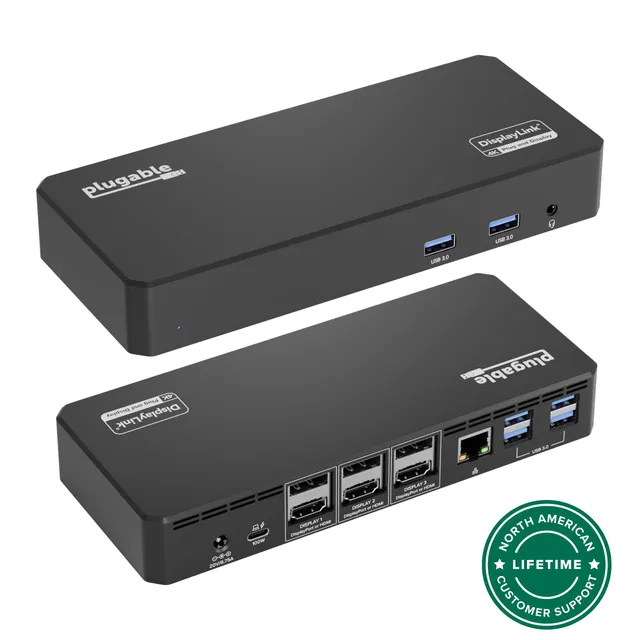
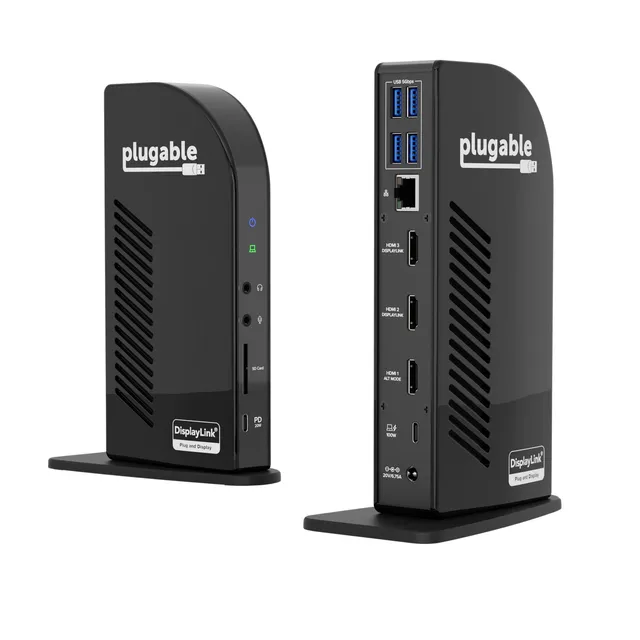
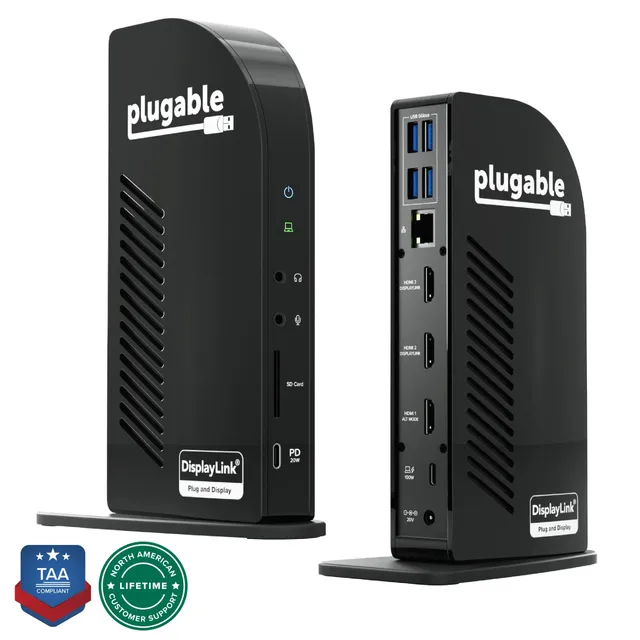
Plugable's UD-6950PDZ USB-C docking station connects three 4K monitors and charges your laptop at 100W through a single cable, ideal for Mac and Windows professionals.
Categories : Series
SKU : POR-SER-844
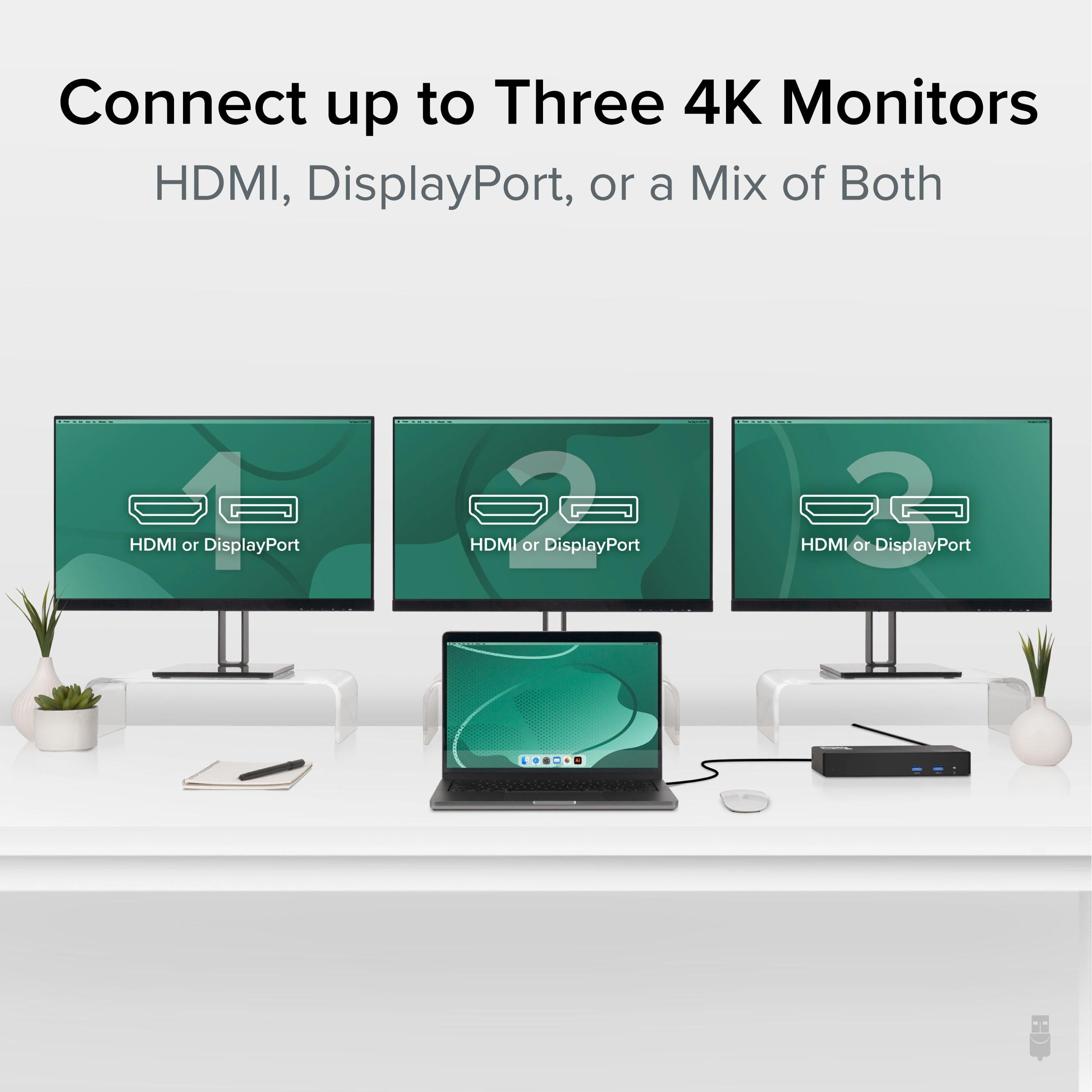
The Plugable UD-6950PDZ is a USB-C docking station engineered for professionals who need expansive screen real estate. With support for up to three 4K displays, this dock transforms your laptop into a powerful workstation, letting you spread documents, reference materials, and communication tools across multiple monitors for seamless multitasking.
Plugable is known for reliable connectivity solutions, and the UD-6950PDZ continues that tradition. It leverages DisplayLink technology to deliver triple extended displays, even on Macs with M1, M2, or newer chips and Windows laptops. Whether you're analyzing data, coding, or managing complex projects, the UD-6950PDZ provides the desktop experience you need.
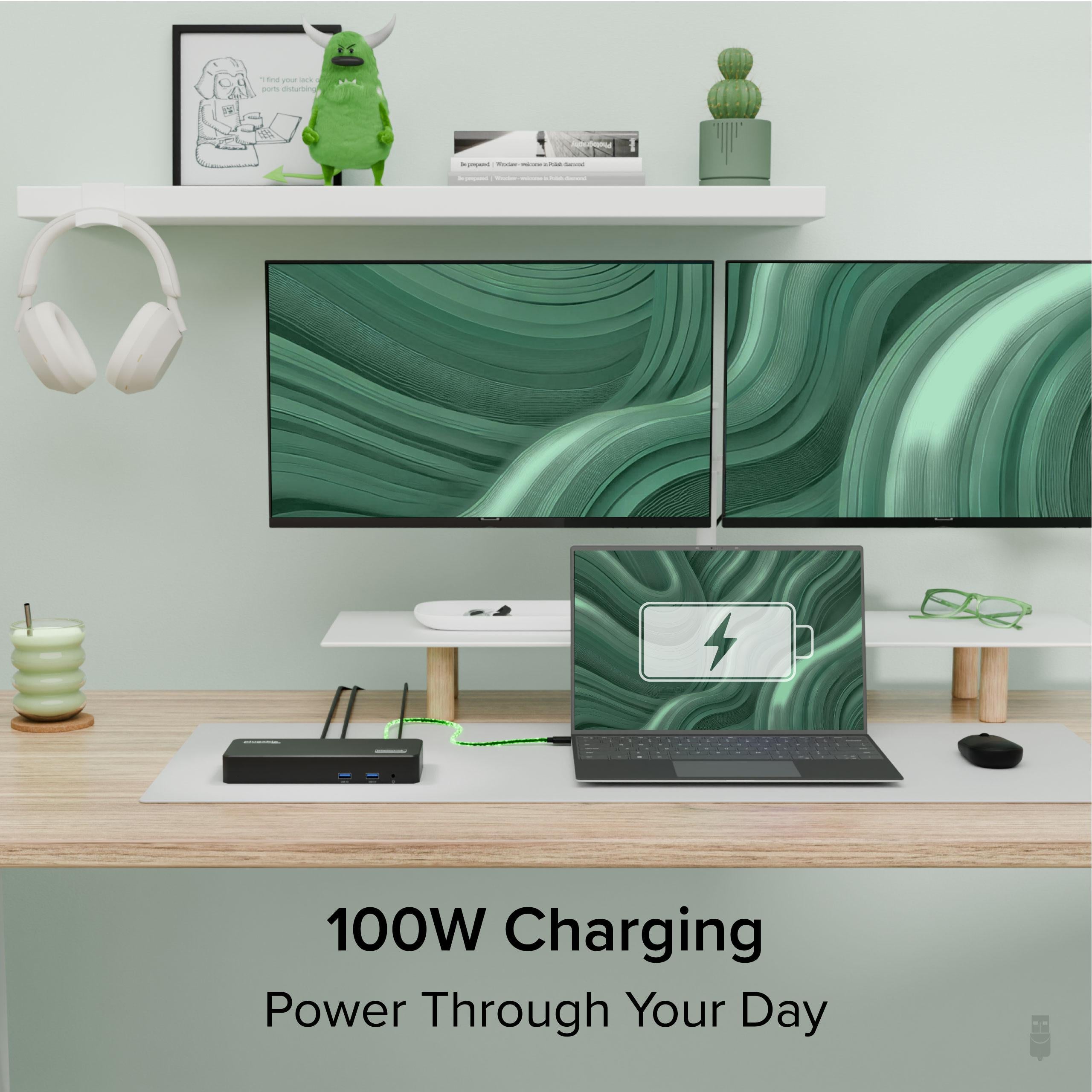
Connect the dock to your laptop via a single USB-C cable to enjoy video output, USB peripherals, and 100W laptop charging—all at once. This keeps your desk clutter-free and ensures your laptop stays powered during demanding tasks. The dock is compatible with USB-C and Thunderbolt 3/4 ports, making it versatile across devices.
For the best experience, use DisplayPort 1.4 Alt Mode to achieve 4K at 60Hz on all three displays. If your laptop only supports DP 1.2, the dock can still drive two 4K displays at 60Hz and one at 30Hz. Check your laptop's DisplayPort version to maximize performance.
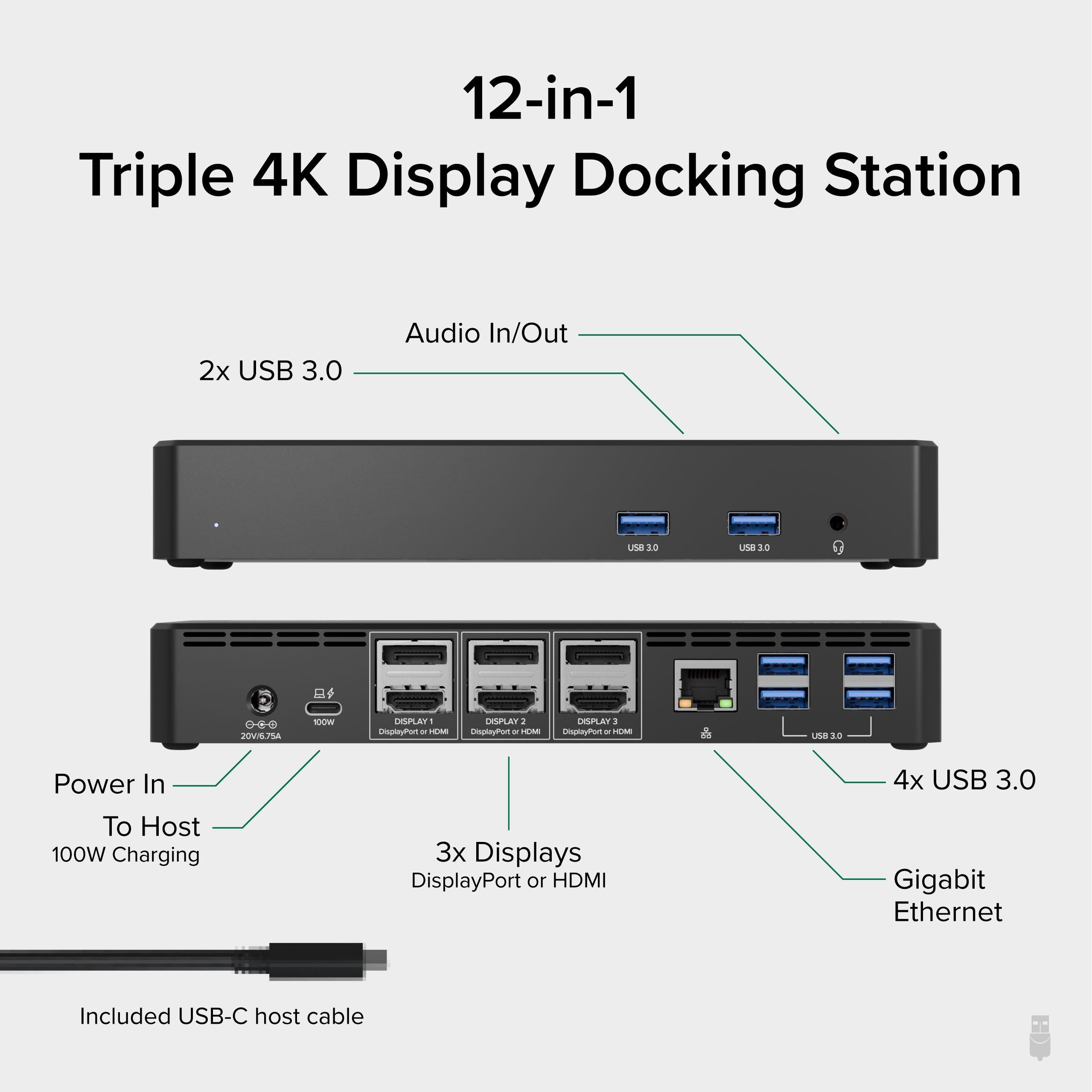
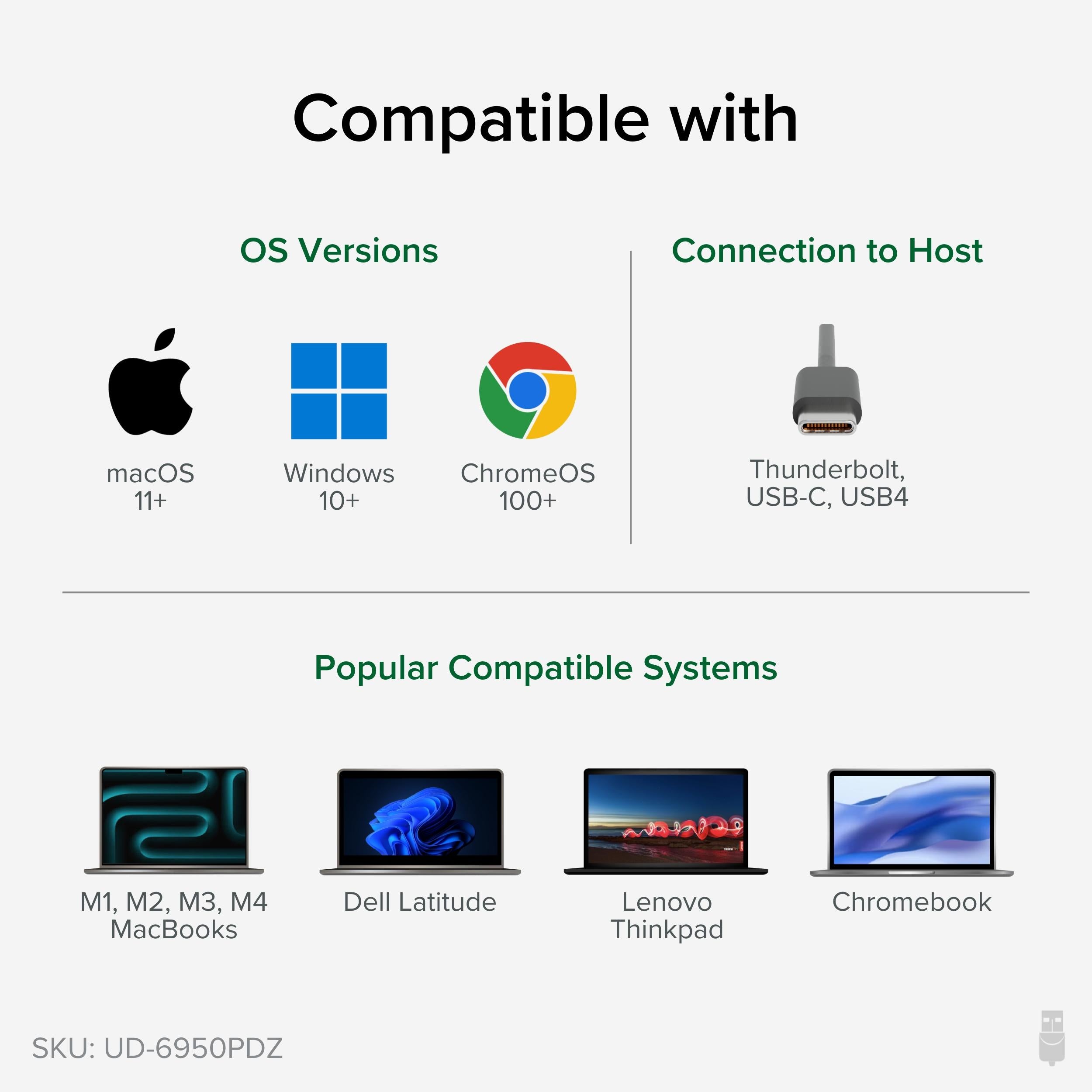
The UD-6950PDZ works with macOS, Windows, and ChromeOS (version 100 or later). For Macs, a driver installation is required for DisplayLink functionality. The dock also includes multiple USB-A ports, an Ethernet port, and audio output for a complete workstation setup.
If your Mac isn't detecting all displays, ensure you've installed the latest DisplayLink driver and granted the necessary permissions in System Settings. Restart your Mac after installation, and confirm the dock is connected directly to the laptop's USB-C port (avoid hubs). For Windows, update your graphics drivers and check the dock's USB connection.
This docking station is your hub for productivity—connect up to three monitors, charge your laptop at 100W, and link all your peripherals with ease.
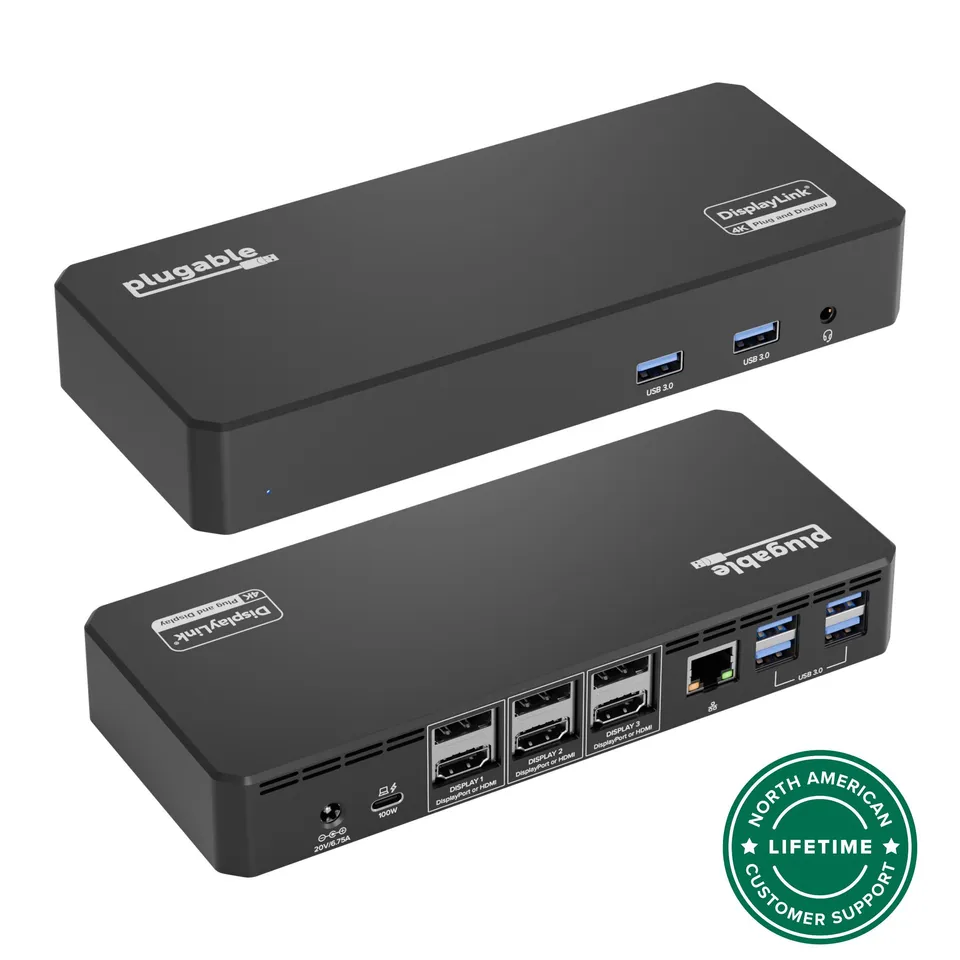
Triple 4K monitor output for expansive multitasking
100W laptop charging keeps your device powered through one cable
DisplayLink technology ensures multi-monitor support on Mac and Windows
Model: UD-6950PDZ
Weight: 1.2 pounds
Dimensions: 9.6 x 3.4 x 1.1 inches
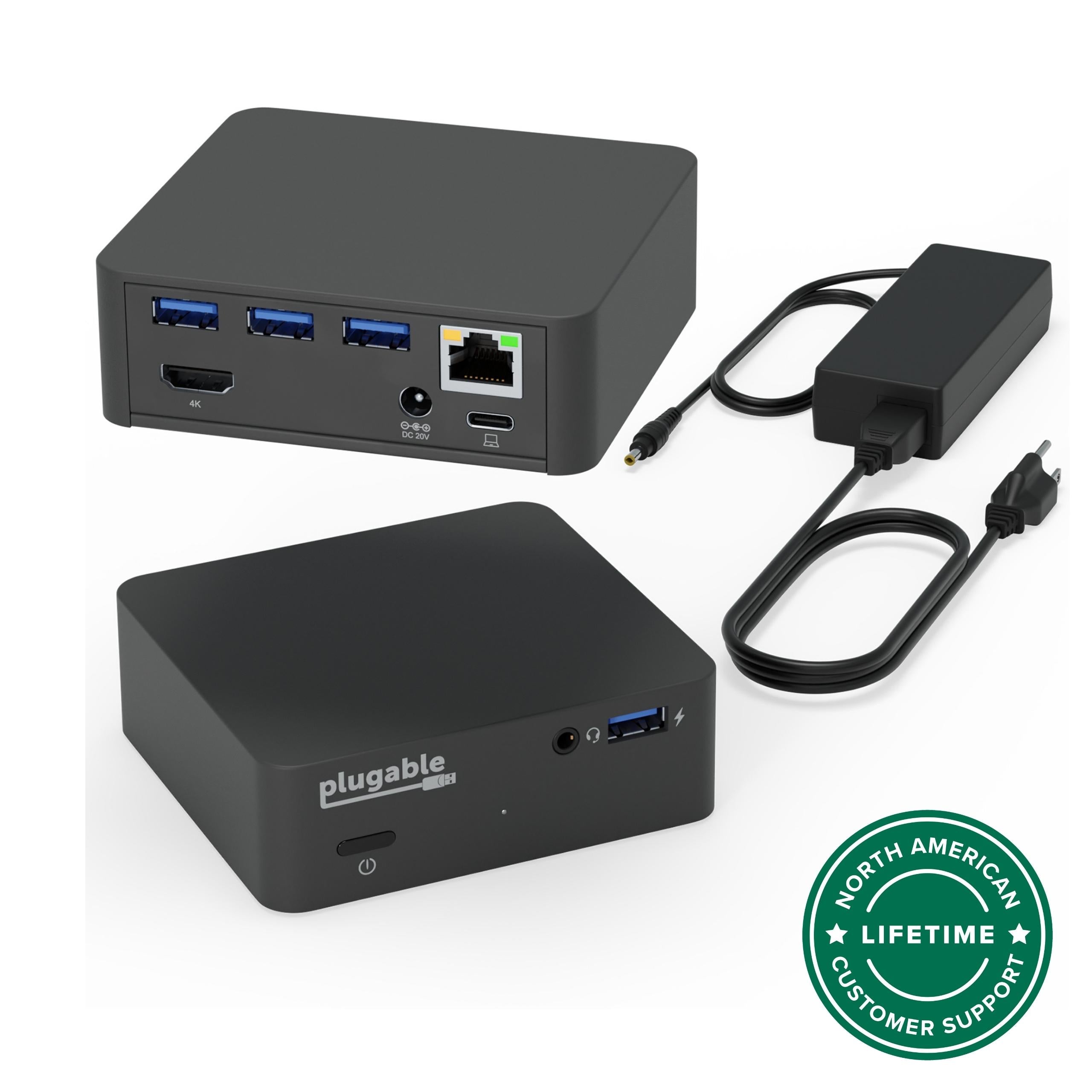
Connectivity: USB-C host, USB-A x4, Gigabit Ethernet, Audio out
Product Type: USB-C Docking Station
Compatibility: Windows, macOS, ChromeOS (v100+)
Video Outputs: 3x HDMI, 3x DisplayPort (depending on model variant)
Max Resolution: 7680x4320 (single display) or 4096x2160 per display when using three
Laptop Charging: 100W USB-C Power Delivery
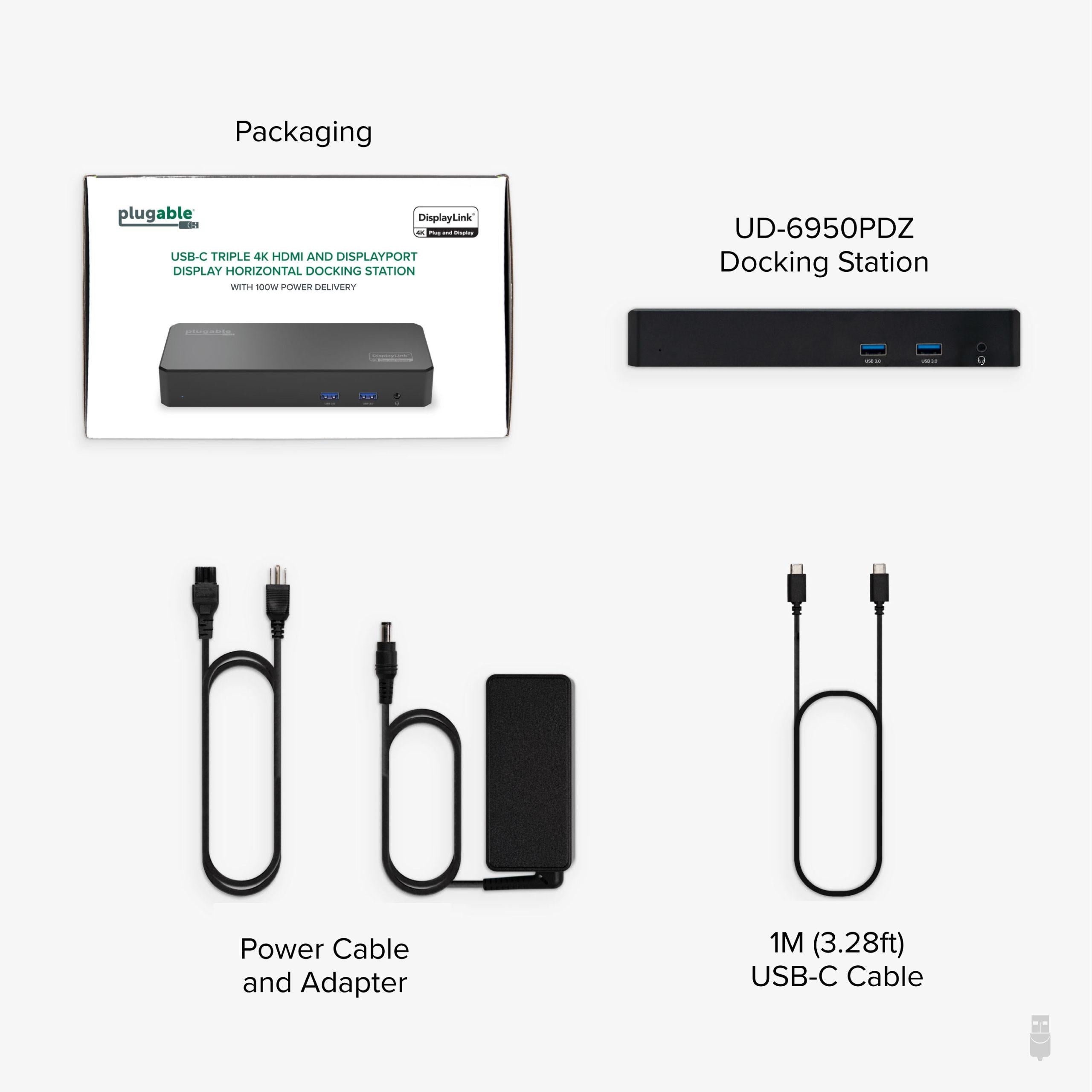
Package Contents: Docking station, 100W power adapter, USB-C cable
Seller: PortSide Gear
MPN: UD-6950PDZ
Beyond triple 4K displays, the UD-6950PDZ offers versatile USB expansion for your keyboard, mouse, and storage. Its compact aluminum design dissipates heat effectively for reliable performance during extended work sessions. A built-in security lock slot adds peace of mind in shared offices. Backed by Plugable's 2-year warranty and Seattle-based support, you can connect with confidence.
Ensure you have installed the latest DisplayLink driver from Plugable's website. After installation, go to System Settings > Privacy & Security and allow the DisplayLink Manager to control your displays. Restart your Mac and reconnect the dock.
The dock is compatible with laptops that support USB-C with Power Delivery, including many Dell XPS, Lenovo ThinkPad, HP EliteBook, and MacBook Pro models. However, charging speed may vary; check your laptop's power requirements. For full 100W charging, your laptop must accept USB-C PD input.
Yes, if your laptop supports DisplayPort 1.4 Alt Mode and you use cables that support DP 1.4 and DSC (Display Stream Compression). Most modern laptops (2020+) meet this. If your laptop only supports DP 1.2, you may get 4K at 30Hz on one monitor or need to reduce resolution.
Yes, the dock works with macOS Sonoma with the latest DisplayLink driver installed. Always download the driver from Plugable's support page to ensure compatibility.
I'm running three 4K monitors with this dock, and it handles them flawlessly. The 100W charging keeps my laptop powered, and the connection is stable. Setup was easy with the included DisplayLink drivers. Highly recommended for professionals.
This dock has been a workhorse. It connects to my MacBook Pro and drives three 4K displays without any lag. The 100W charging is a big plus. It's well-built and hasn't given me any issues.
The dock works well once you install the DisplayLink drivers. Without them, it's limited to two monitors. Once set up, it's great. The 100W charging is solid. Keep the drivers updated for best performance.
The dock does what it promises: triple 4K at 60Hz and 100W charging. It's a bit pricey, but if you need that setup, it's worth it. The build quality is good, and it looks professional.
I had trouble getting all three monitors to work consistently. Sometimes one would drop out. The dock works fine with two monitors, but not three. Could be a compatibility issue with my laptop. Not ideal.
Finally a dock that supports triple 4K on my M1 MacBook Pro without a fuss. The setup was straightforward, and the 100W charging keeps my laptop topped up. I use it with three 27-inch monitors—everything runs smoothly.
This dock lets me work with three 4K monitors simultaneously, which boosts my productivity. The connection is stable, and the 100W charging is convenient. It's a bit big, but that's expected with this many ports.
The dock is a good value for the features it offers. The triple 4K works well, but I've noticed that the Ethernet port is a bit finicky. Sometimes it takes a moment to connect. Other than that, it's been reliable.
I'm using this dock with a Windows laptop and it works perfectly. The DisplayLink drivers installed without any issues. I have three 4K monitors running at 60Hz, and the 100W charging keeps my laptop charged. Very satisfied.
I couldn't get this dock to work with my specific laptop model. After hours of troubleshooting, I gave up. Maybe it's compatible with other devices, but it wasn't for me. Returned it.
Orders over $45.00 ship free. Otherwise, shipping is $8.00.
Hassle-free returns
SSL encrypted checkout
100% genuine products
Docking stations and hubs from Razer, Corsair, Plugable & STM Goods — compare and connect with free shipping over $45.
Phone: +1 (206) 555-0148
Email: support@portsidegear.us
Address: 2815 Alaskan Way, Suite 300, Seattle, WA 98121, United States