$20.00
We will hold your cart for 15:00.
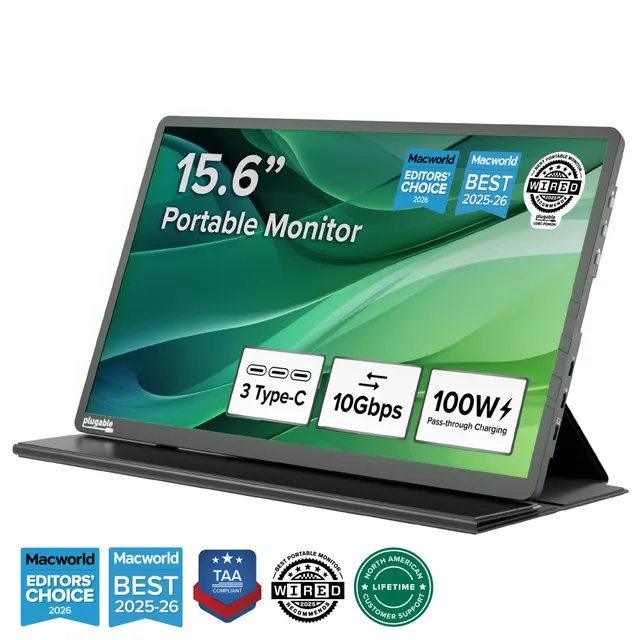
The Plugable USBC-PDMON is a TAA-compliant USB-C portable monitor with a protective case, offering 100W pass-through charging and crisp 1080p visuals for on-the-go productivity.
Categories : Series
SKU : POR-SER-813
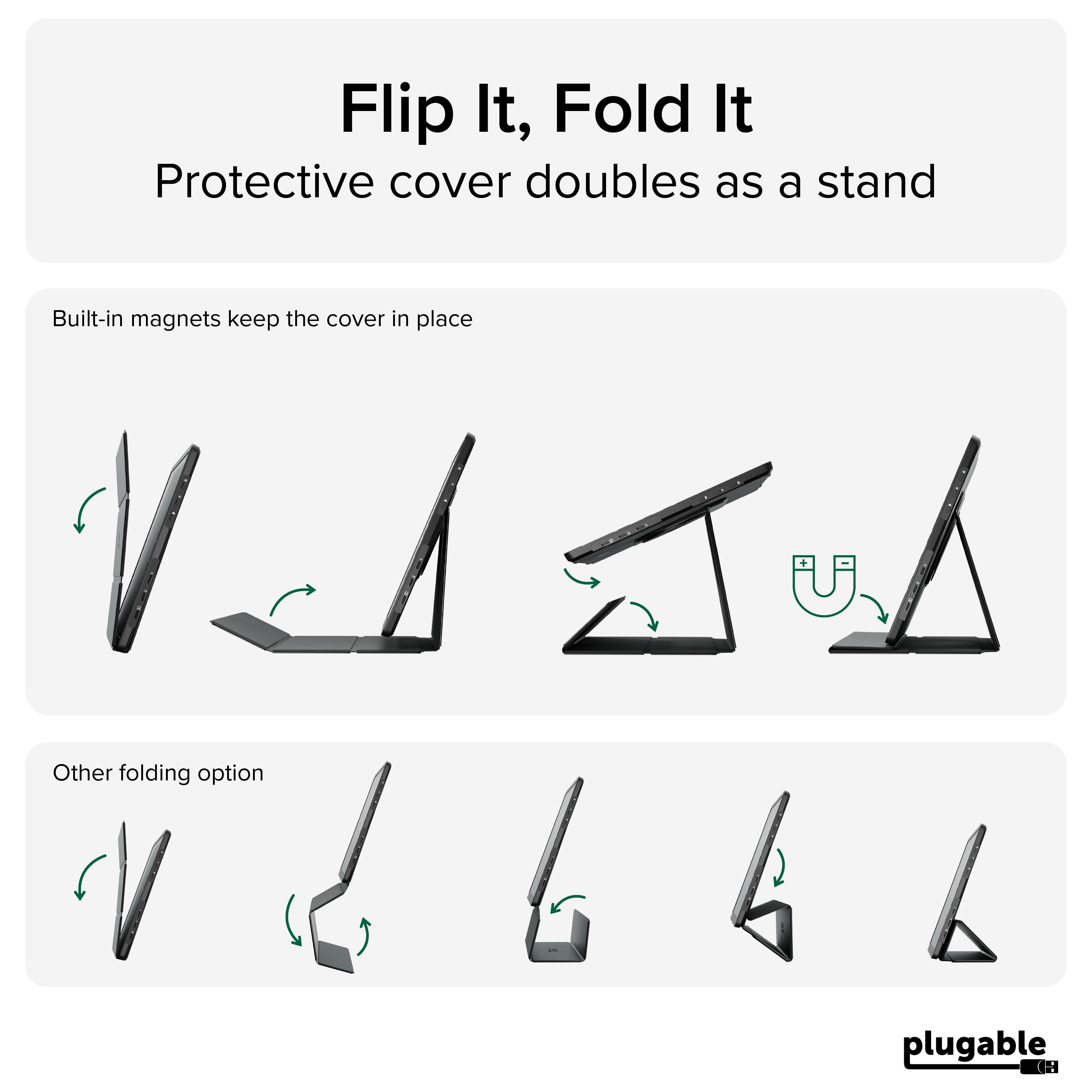
The Plugable USBC-PDMON is a TAA-compliant USB-C portable monitor engineered for professionals who need a reliable second screen anywhere. Recently named "Best Portable Monitor for Mac 2026" by Macworld, this 15.6-inch 1080p display is perfect for home offices, business travel, hot-desking, classrooms, and IT deployments. With a built-in protective case that doubles as a stand, and an innovative 100W pass-through charging port, you can keep your laptop powered while you work, all from a single USB-C connection.
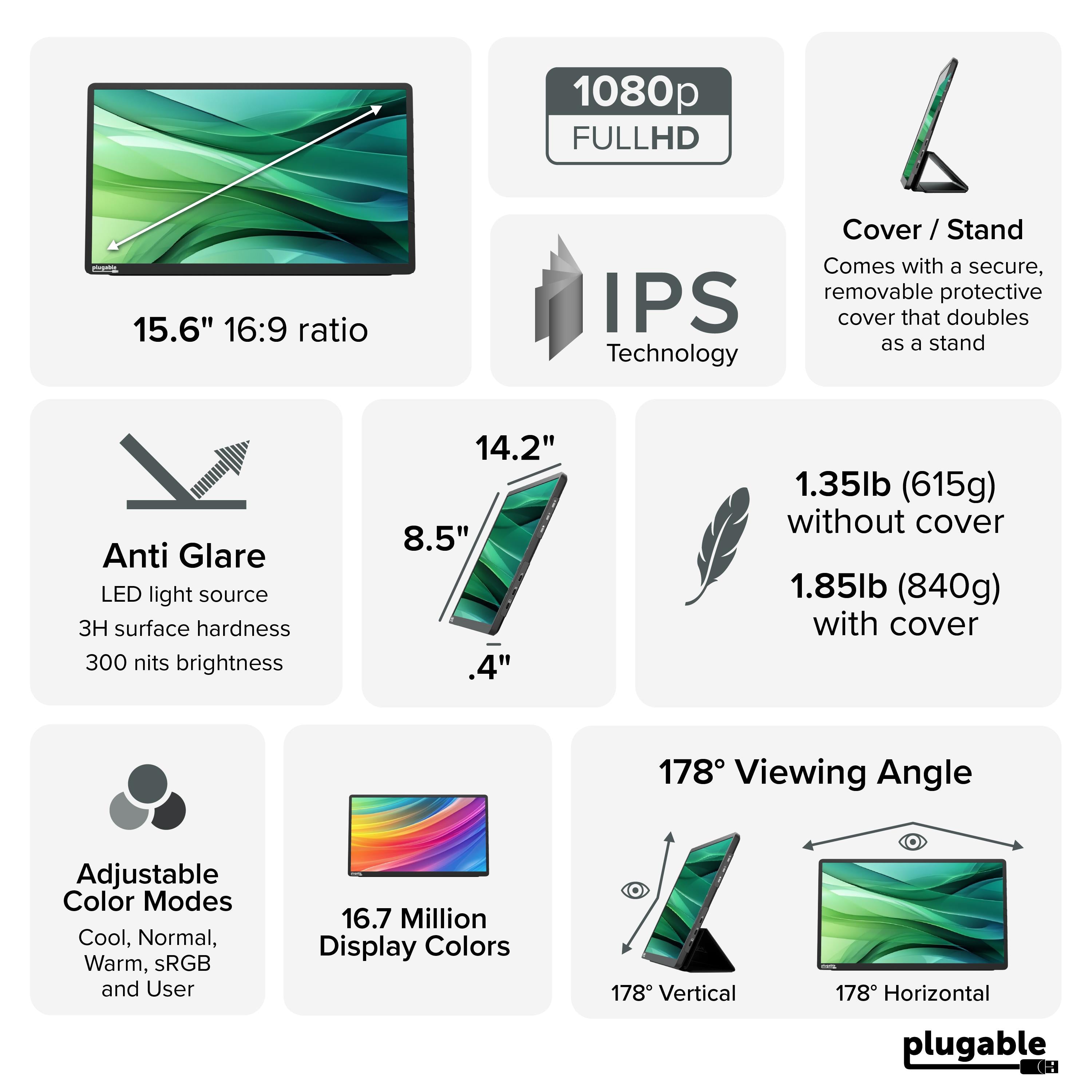
Setting up is simple: just connect the monitor to your laptop's USB-C port using the included cable, and the display comes to life. It's ideal for expanding your view for spreadsheets, presentations, email, or admin dashboards. The 1080p (1920x1080) resolution provides crisp text and vibrant colors, and the matte screen reduces glare in bright environments.
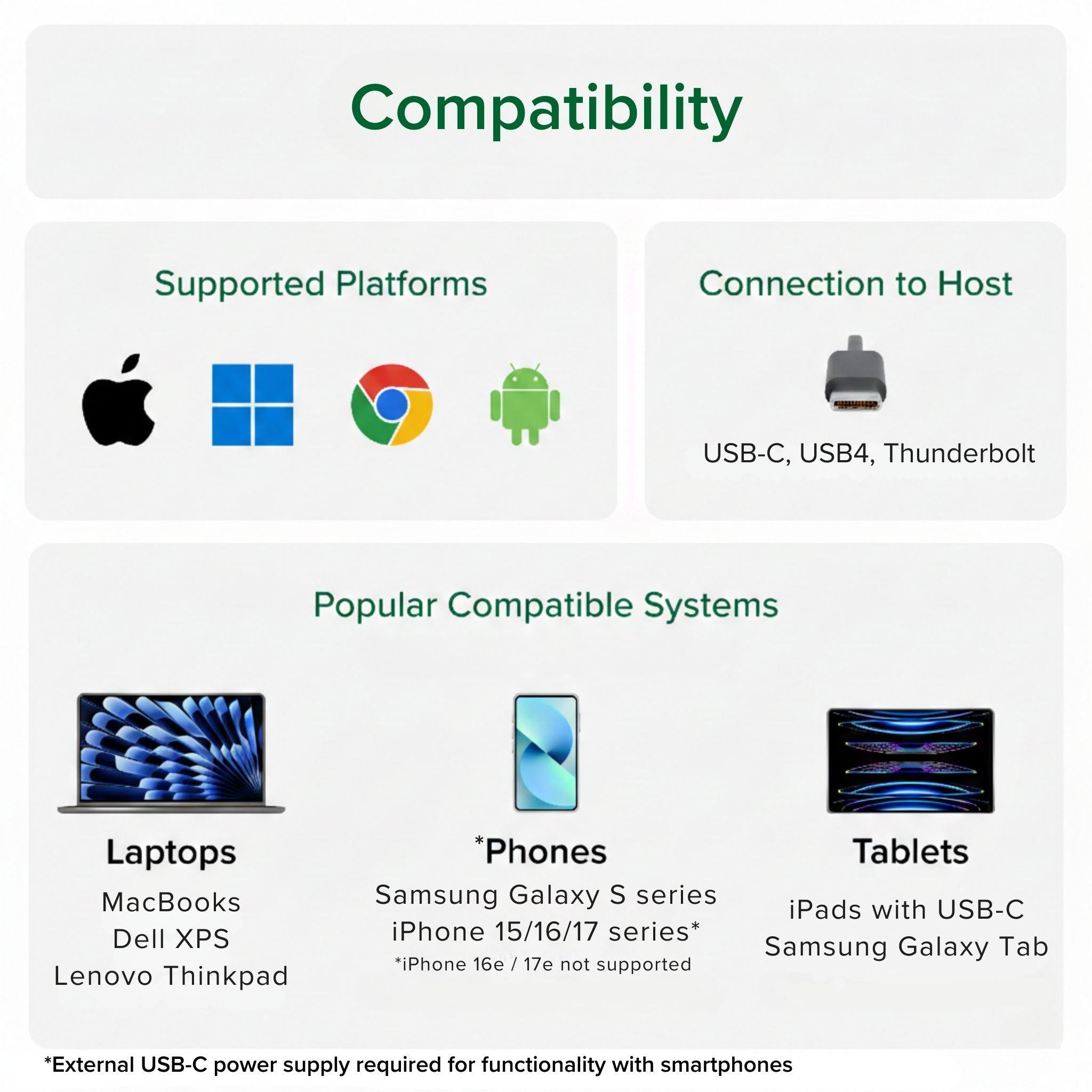
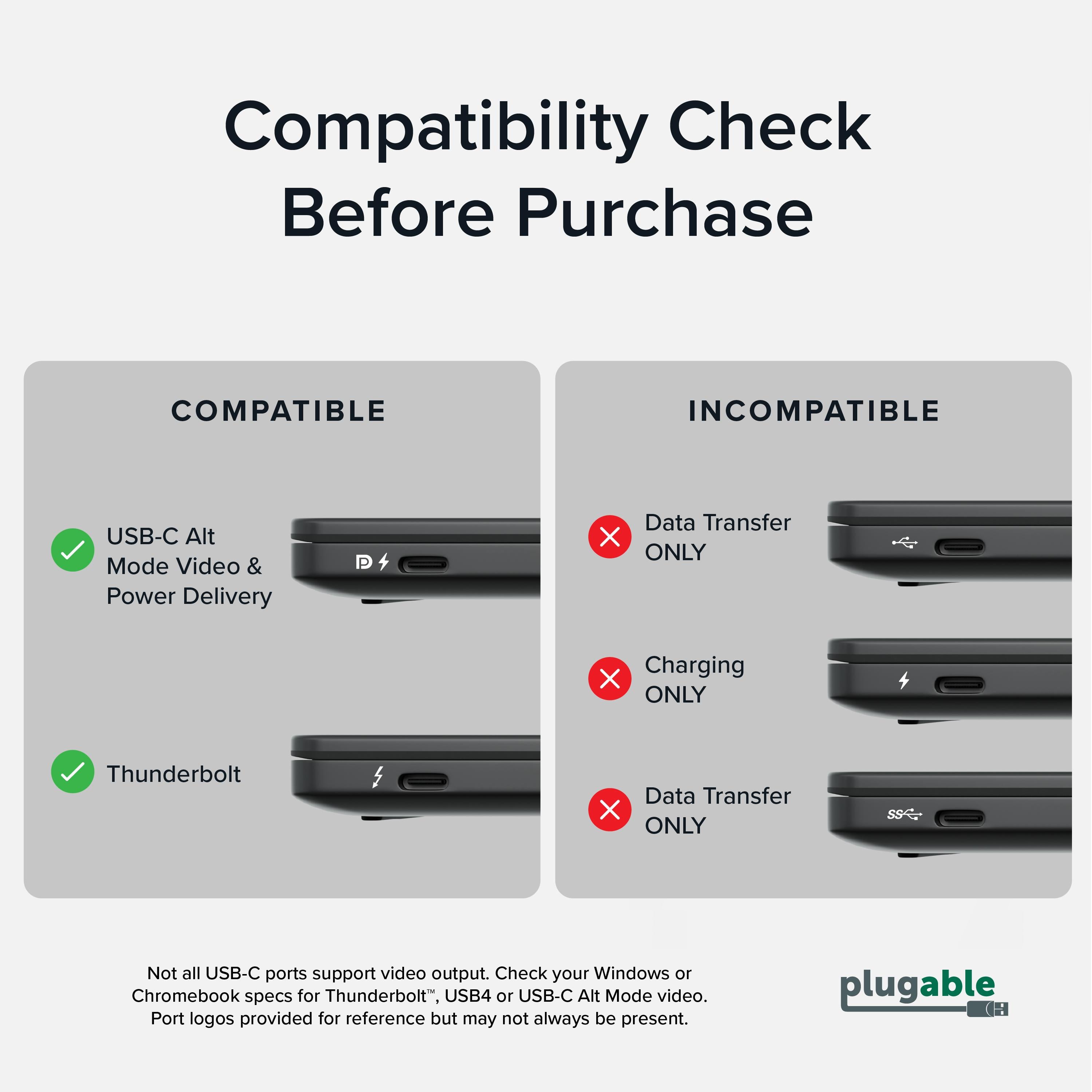
A crucial note: this monitor requires a USB-C port that supports DisplayPort Alternate Mode (DP Alt Mode) and power delivery (PD) for pass-through charging. If your device doesn't support DP Alt Mode, the monitor won't receive a video signal. Most modern Windows laptops, MacBooks, Chromebooks, and some smartphones support this, but older devices may not. Check your device's specifications before purchasing.
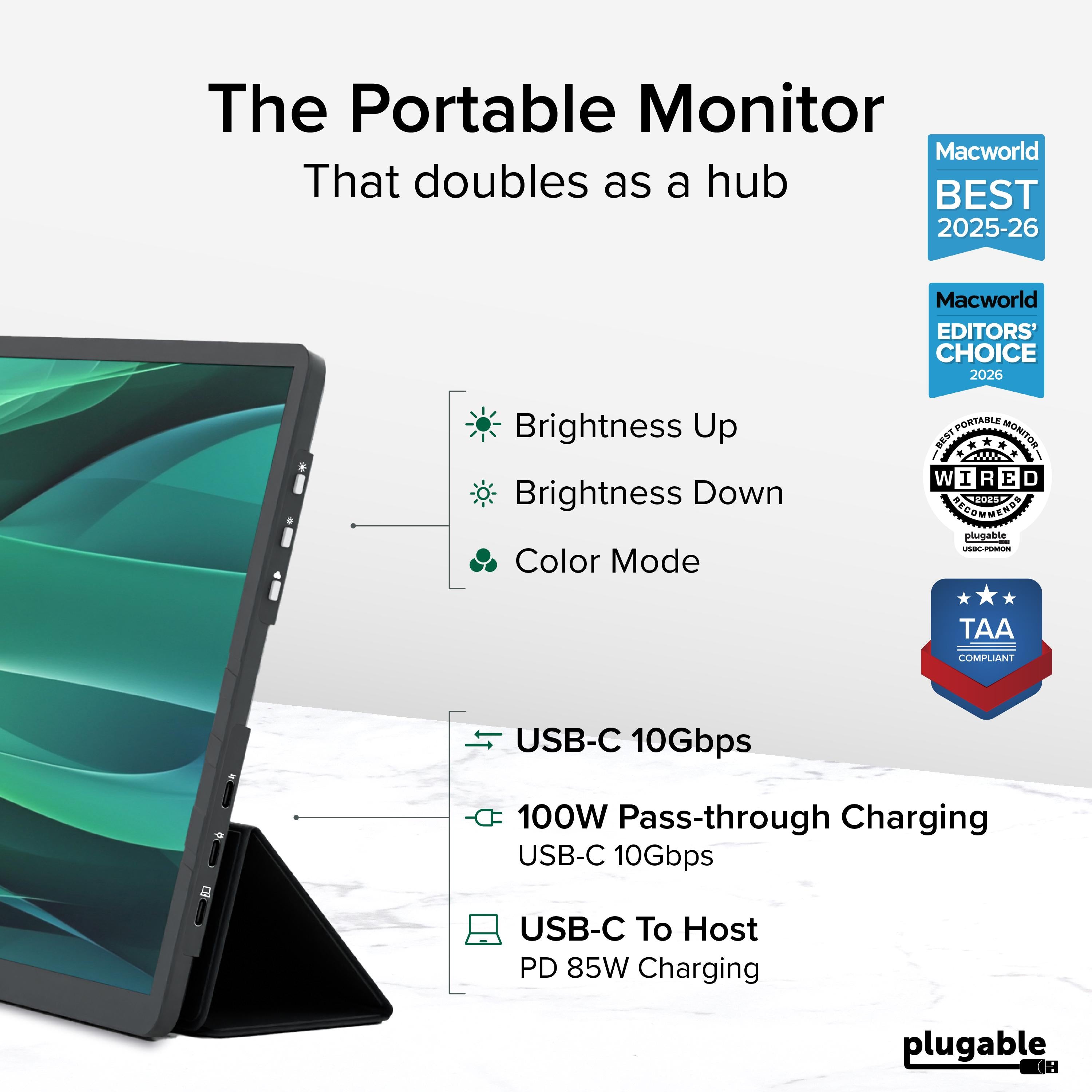
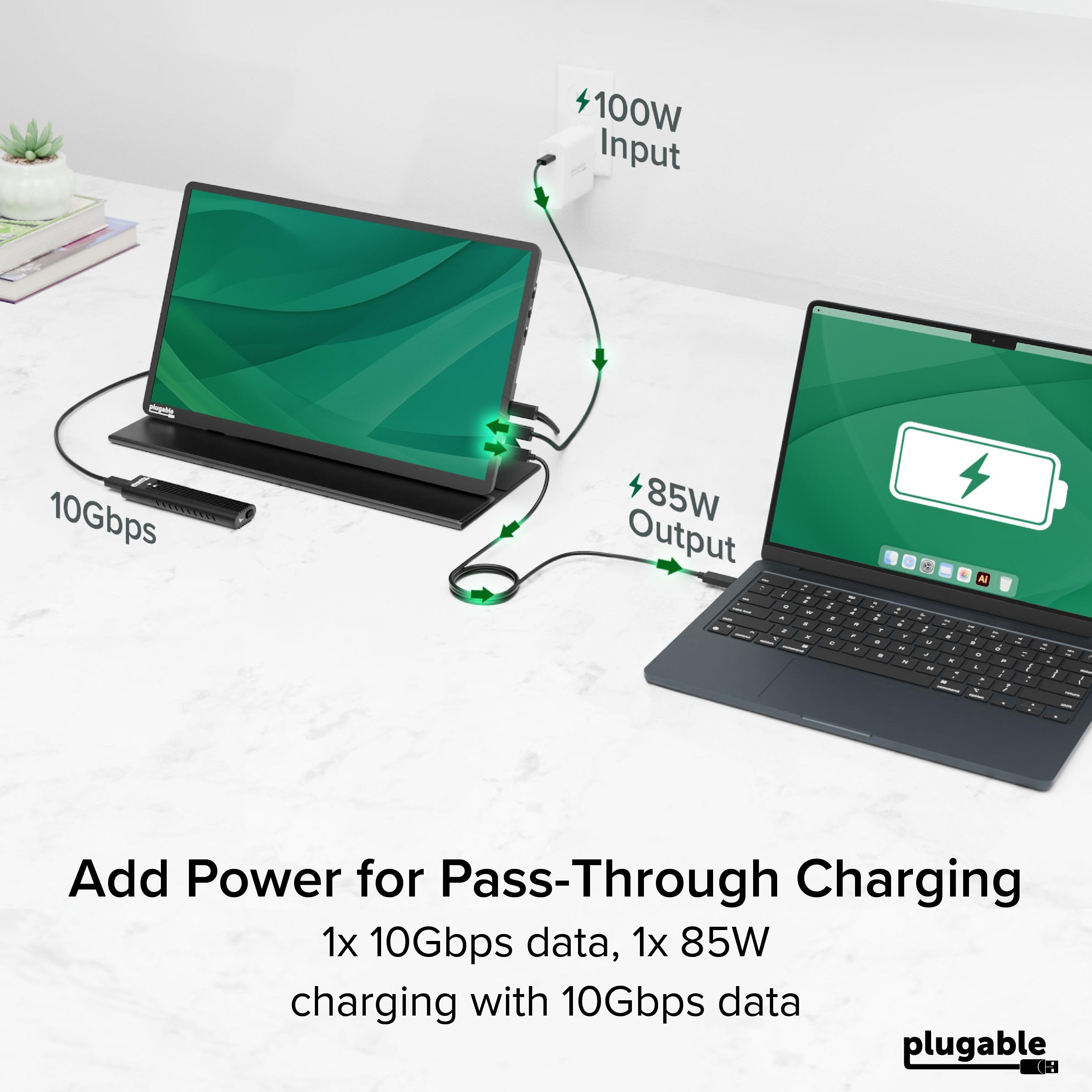
The USBC-PDMON features a USB-C PD 2.0 port that supports 100W input, meaning you can plug your laptop's USB-C charger into the monitor, and the monitor will pass up to 100W of power to your laptop while displaying video and receiving power itself. This reduces cable clutter and makes it an ideal travel companion. For optimal setup, connect your laptop's charger to the monitor's PD IN port, then connect the monitor to your laptop via the video cable.
If you're experiencing issues with the monitor not working with your laptop, first verify that your laptop's USB-C port supports DP Alt Mode. If it doesn't, the monitor won't receive a video signal, but it may still charge via the pass-through connection. Also, ensure you're using the included USB-C cable (or one that supports both video and data) and that your laptop's drivers are up to date.
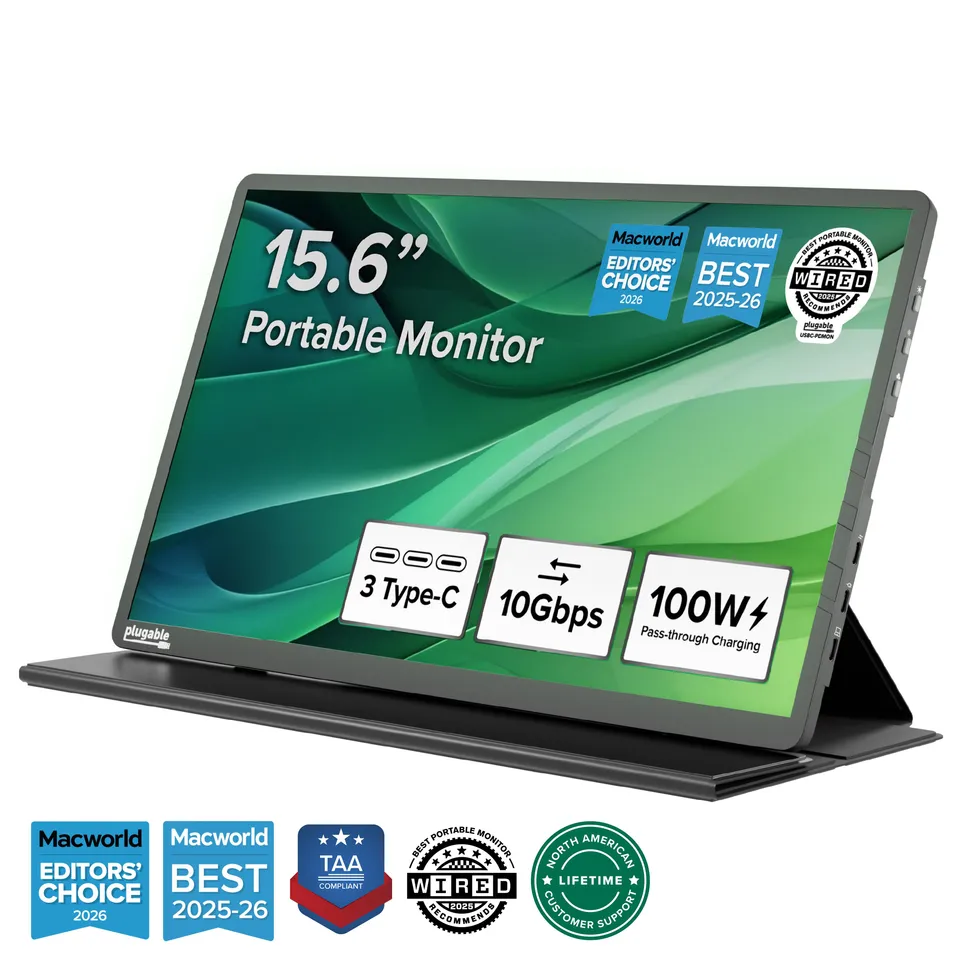
100W pass-through charging: Keeps your laptop powered while the monitor is connected, reducing cable clutter.
True portability: Lightweight with a integrated protective cover/stand, perfect for travel and remote work.
Plug-and-play USB-C connection: Requires DP Alt Mode for quick setup on compatible laptops and devices.
Model: USBC-PDMON
Weight: Approximately 2.6 lbs
Resolution: 1920x1080 (1080p)
Screen Size: 15.6 inches
Connectivity: USB-C (Video, data, power), USB-C PD port (100W input, 60W output to host)
Product Type: USB-C Portable Monitor
Compatibility: USB-C devices with DisplayPort Alt Mode support; macOS, Windows, ChromeOS, iPadOS, Linux, Android
Power Delivery: 100W USB-C PD 2.0 pass-through
Additional Features: TAA compliant, includes protective cover/stand, speakers, 3.5mm audio out
Seller: PortSide Gear
MPN: USBC-PDMON
Wherever your work takes you, the Plugable USBC-PDMON ensures you never lose productivity. Its rugged yet lightweight design fits easily into a laptop bag, and the kickstand case protects the screen and adjusts to your preferred angle. With TAA compliance, it's also a smart choice for government and enterprise procurement. Experience the convenience of a dual-screen setup without the bulk.
First, ensure your laptop's USB-C port supports DisplayPort Alternate Mode (DP Alt Mode). If it does not, the monitor will not receive a video signal. Also, check that you're using a USB-C cable that supports video and that your laptop is updated with the latest graphics drivers.
Yes, as long as your phone's USB-C port supports DisplayPort Alt Mode. Many modern Android phones do, but iPhones with Lightning or USB-C (iPhone 15 and newer) may or may not, depending on model and software support. Check your device's specifications.
Plug your laptop's USB-C charger into the monitor's PD port (labeled with a power icon). Then connect the monitor to your laptop using the other USB-C port on the monitor. The laptop will receive power from the charger via the monitor, up to 100W (actual charging speed depends on your laptop's power requirements and charger output).
Light and sharp.
I use this portable monitor with my laptop when I'm on the road. The 1080p screen is clear and bright enough for most tasks. The case is nice, but it adds some bulk. The 100W pass-through charging is convenient, so I can charge my laptop while using the monitor. Overall, a good purchase.
I travel a lot for work and needed a second screen. This monitor is perfect. It's thin, and the picture quality is great. The size is ideal for fitting in my backpack. The pass-through charging means I only need one cable for both power and video. I recommend it to anyone who works remotely.
The monitor works, but it's heavier than expected, even with the case. The screen is good, but the brightness could be higher for outdoor use. The 60Hz refresh rate is fine for productivity, but not for gaming. It's okay for the price, but not great.
Orders over $45.00 ship free. Otherwise, shipping is $8.00.
Hassle-free returns
SSL encrypted checkout
100% genuine products
Docking stations and hubs from Razer, Corsair, Plugable & STM Goods — compare and connect with free shipping over $45.
Phone: +1 (206) 555-0148
Email: support@portsidegear.us
Address: 2815 Alaskan Way, Suite 300, Seattle, WA 98121, United States