$20.00
We will hold your cart for 15:00.
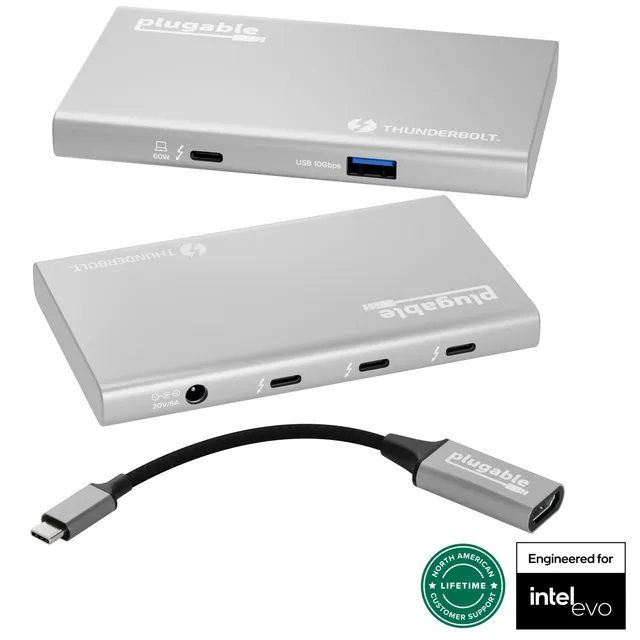
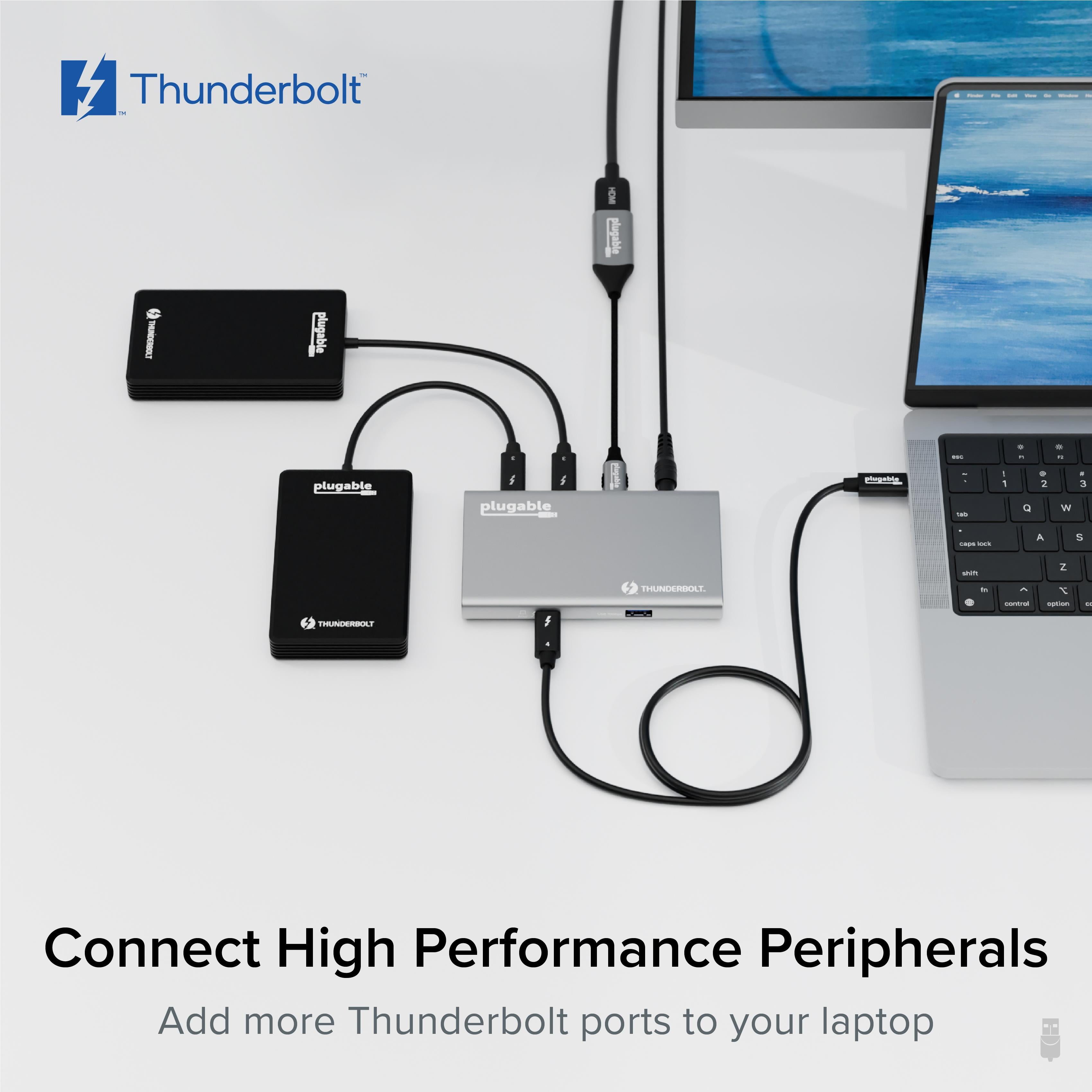
The Plugable 5-in-1 Thunderbolt 4 and USB4 Hub expands your laptop's connectivity with three 40Gbps ports, 60W host charging, and support for dual 4K or single 8K displays.
Categories : Series
SKU : POR-SER-811
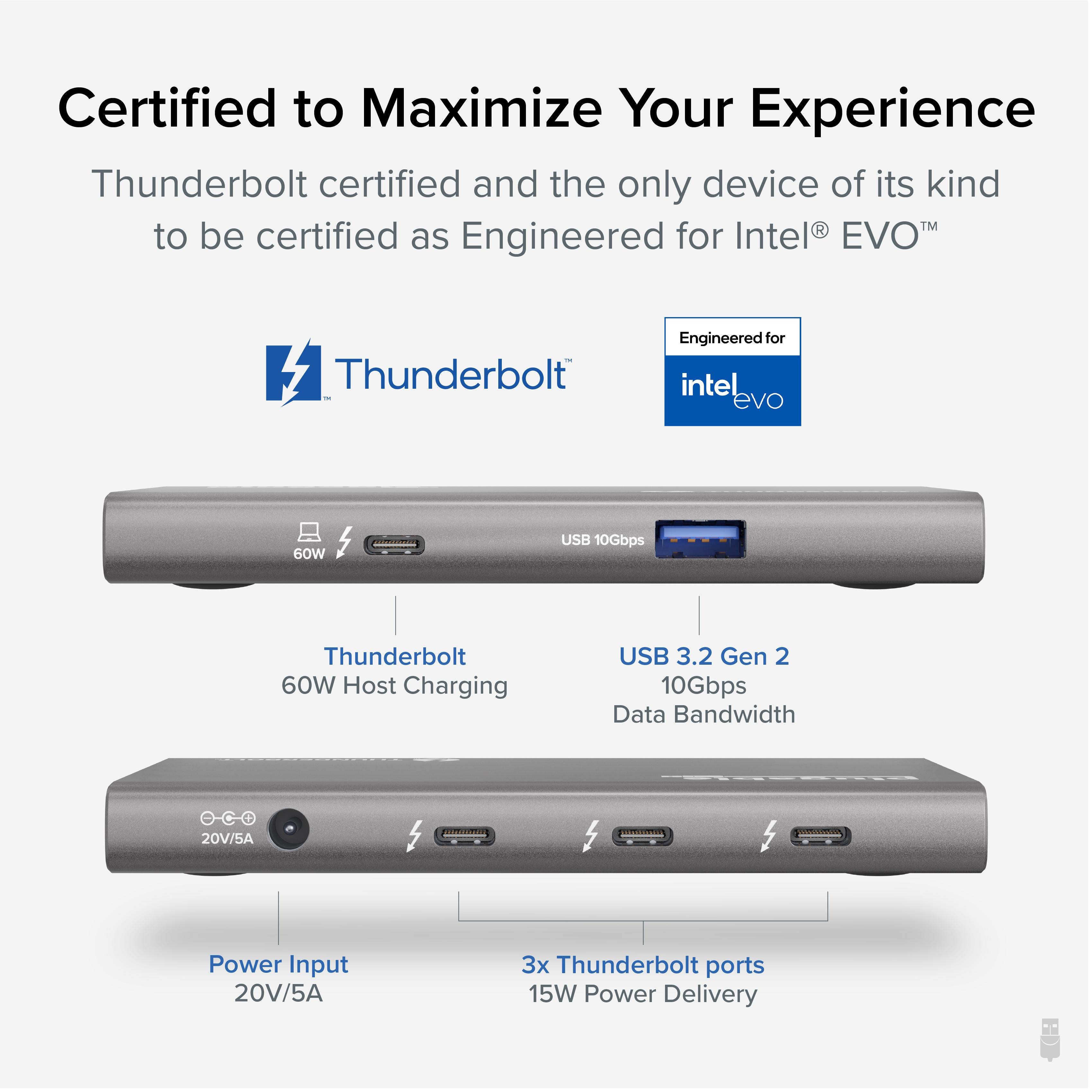
The Plugable 5-in-1 Thunderbolt 4 and USB4 Hub (USB4-HUB3A) is a compact powerhouse designed to unleash the full potential of your Thunderbolt 4 or USB4 laptop. With support for up to 60W host charging, three Thunderbolt 4/USB4 ports (40Gbps each), and a USB-A port (10Gbps) for legacy devices, this hub is perfect for creative professionals and tech enthusiasts who demand maximum throughput. Drive dual 4K monitors or a single 8K display with ease, and daisy-chain additional Thunderbolt devices without breaking a sweat.
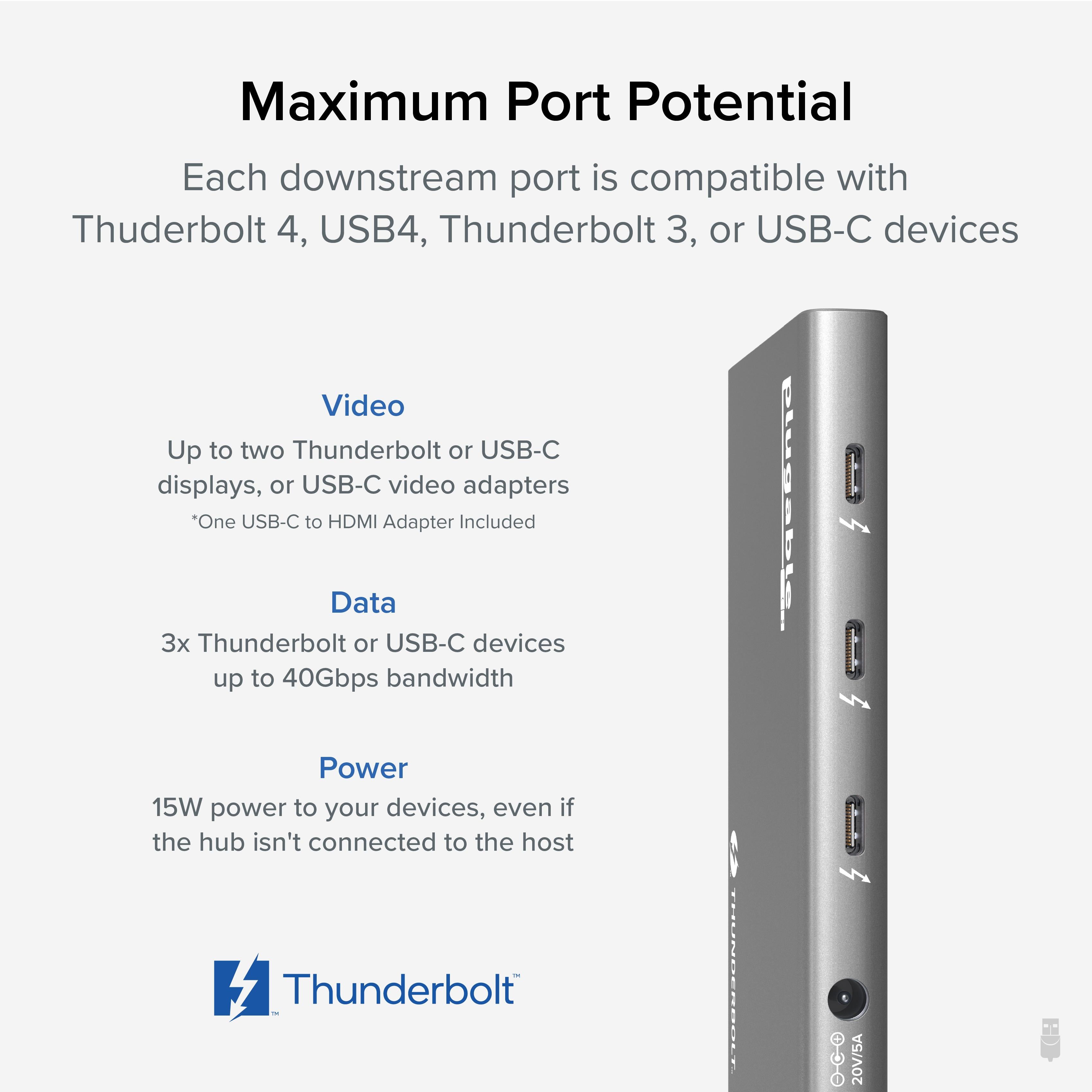
If you're using a MacBook Pro with M1, M2, or M3 chips, or a Windows laptop with Thunderbolt 4, this hub delivers the bandwidth you need for intensive workflows. With the ability to daisy-chain up to six Thunderbolt devices and support for up to 15W charging to connected peripherals, you can create a clean, efficient workstation. The hub is compatible with macOS 11 (Big Sur) or later and iPadOS 13 or later, making it a versatile companion for Apple users.
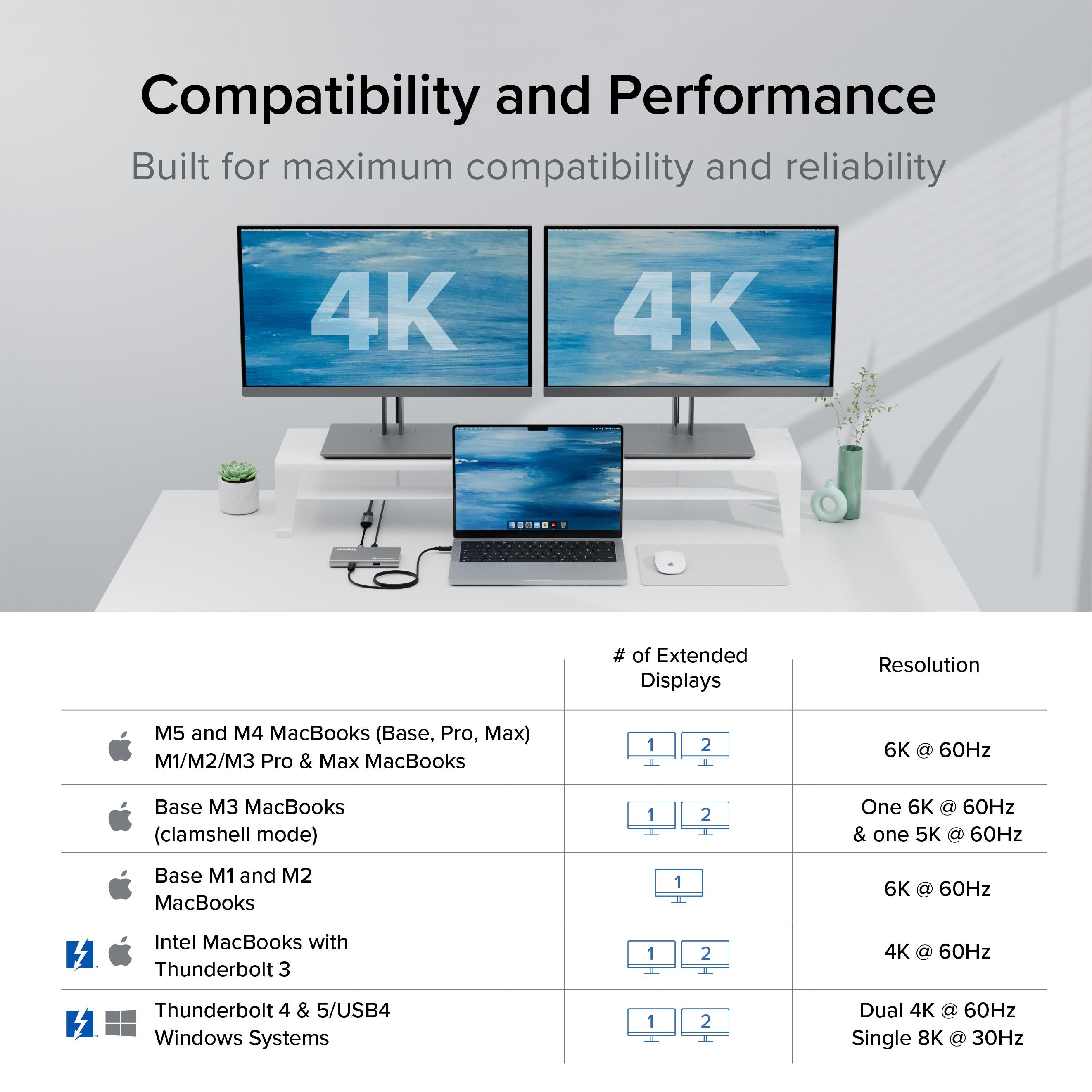
One of the standout features of the USB4-HUB3A is its support for multiple display configurations. On a Mac, you can connect two 4K monitors at 60Hz, or a single 8K display at 30Hz. For Windows users, the maximum display support varies depending on the host laptop's GPU and drivers, but generally, dual 4K monitors are possible. When daisy-chaining, each additional monitor must support Thunderbolt and be properly configured to work in a chain.
If you're wondering about monitor compatibility with M1 Macs, it's important to note that while Apple's M1 chips natively support only one external display, this hub uses a DisplayLink chip to enable additional displays. However, the USB4-HUB3A does not include DisplayLink; it relies on the host's native support. For M1 Macs, you may need a DisplayLink adapter to achieve multi-monitor setups. This hub is best used with Intel Macs or M1 Pro/Max/Ultra for dual display support.
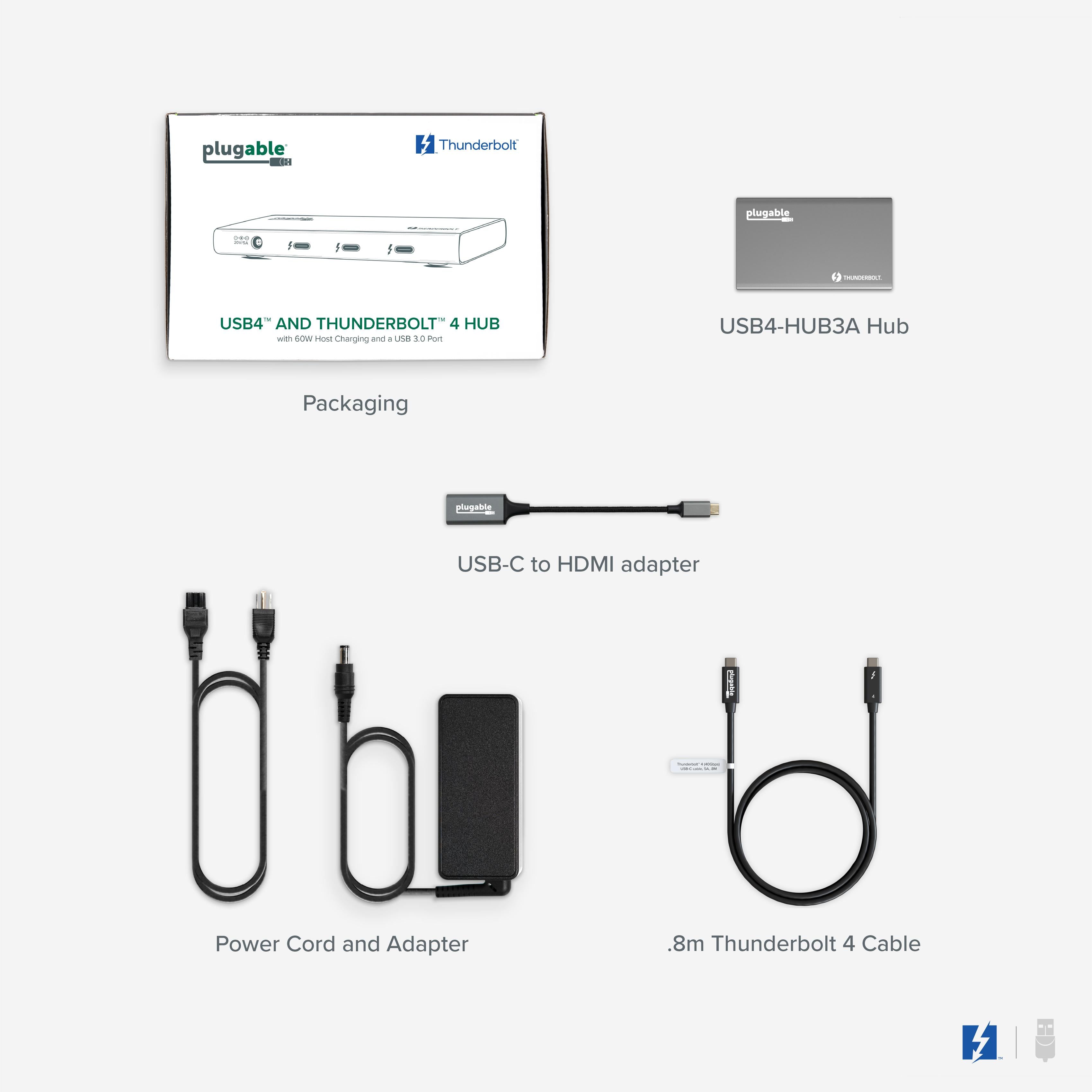
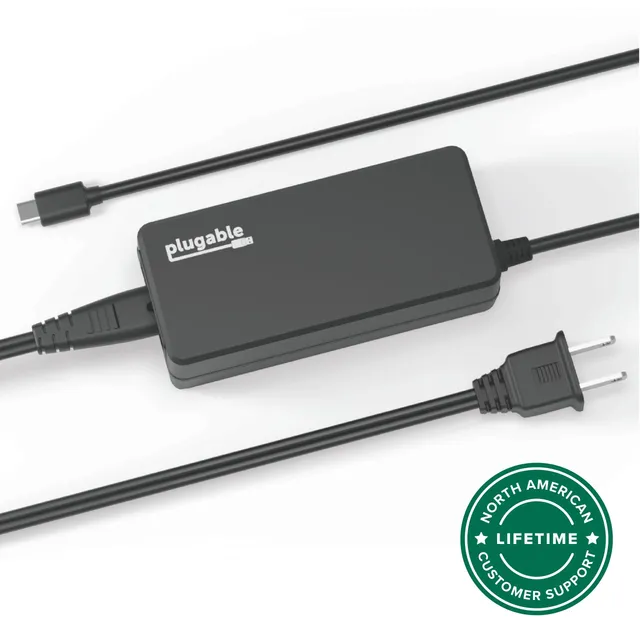
With its compact, durable design and included 135W power adapter, the USB4-HUB3A is ready to take on the demands of modern computing, offering a seamless, one-cable solution for your desk or travel setup.
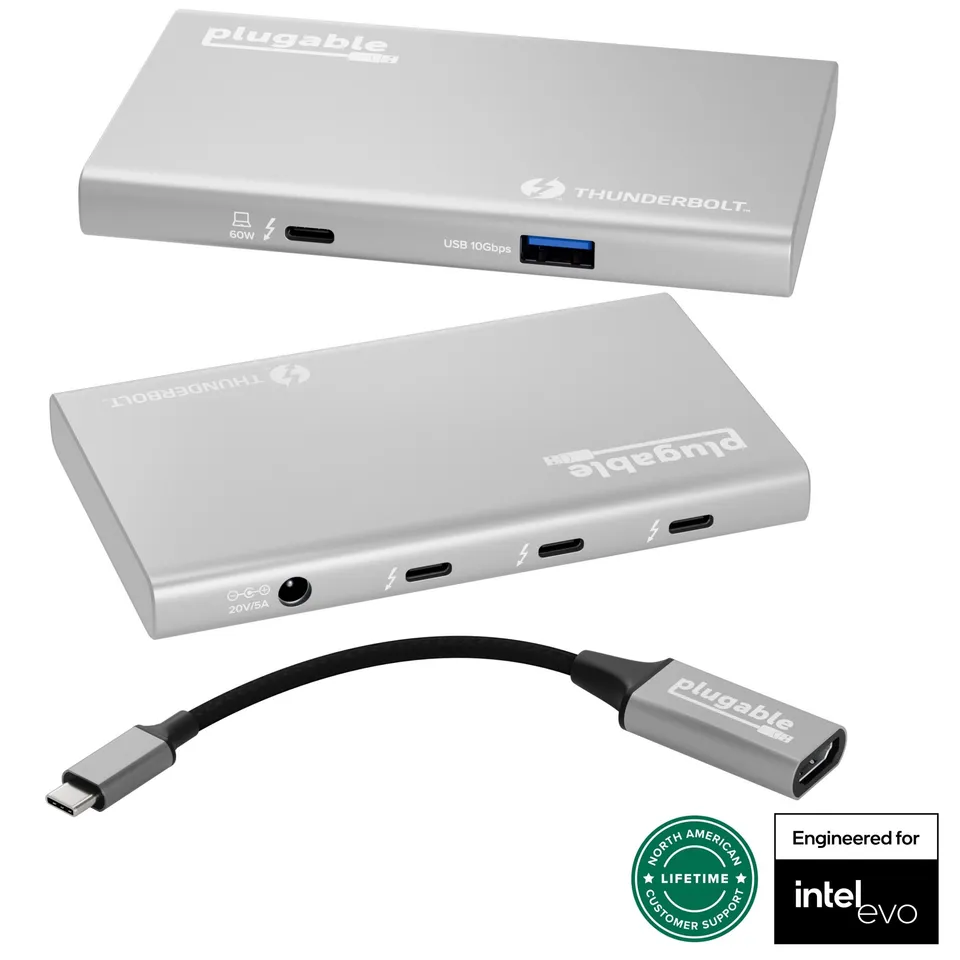
Triple 40Gbps Thunderbolt 4/USB4 ports: Connect high-speed peripherals, storage, and displays with lightning-fast transfer rates.
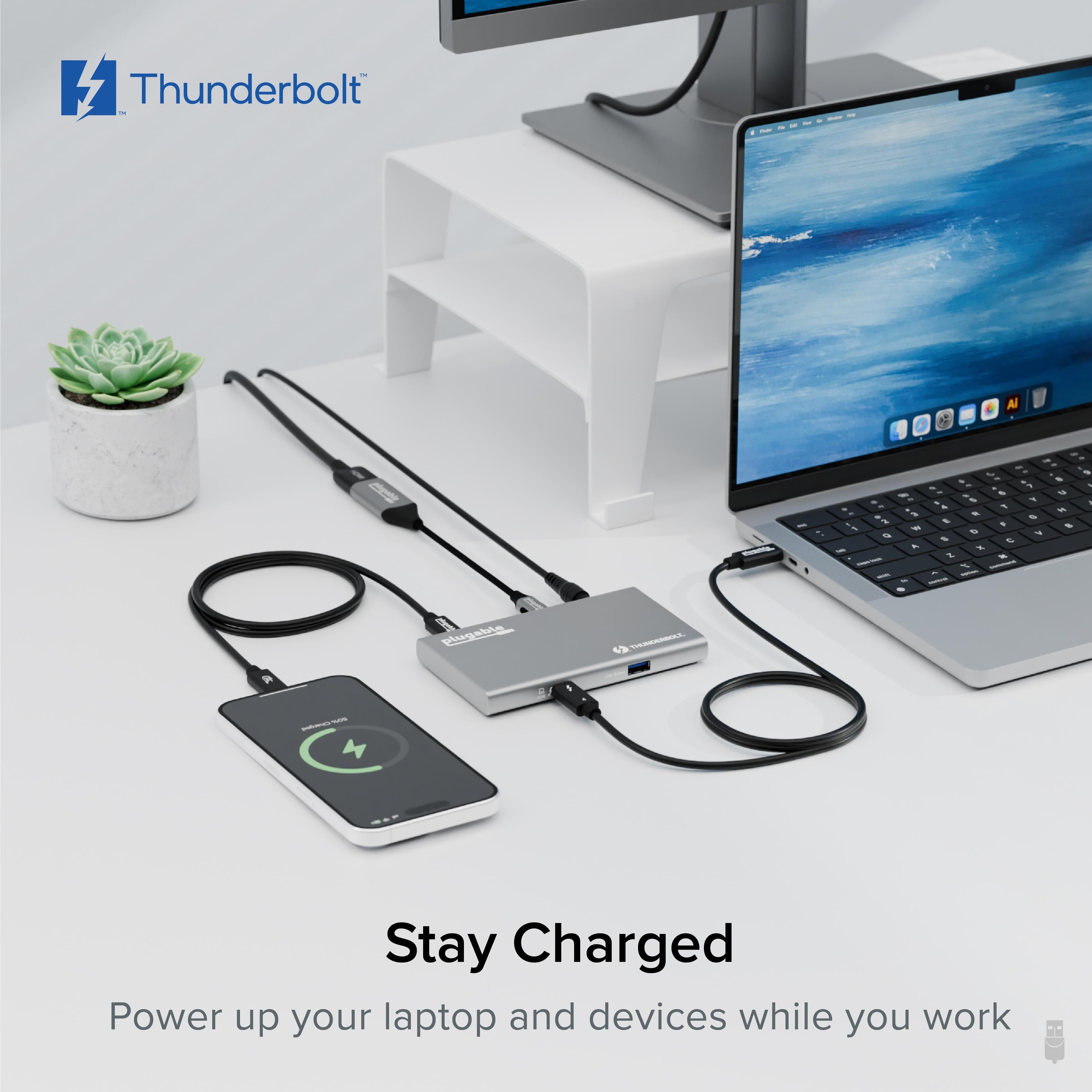
60W host charging: Keeps your laptop powered and ready to work, even under heavy load.
Dual 4K or 8K display support: Expand your visual workspace for maximum productivity on compatible systems.
Model: USB4-HUB3A
Ports: 3x Thunderbolt 4/USB4 (40Gbps), 1x USB-A (10Gbps), 1x USB-C upstream (for host)
Charging: 60W to host, 15W to connected peripherals
Dimensions: Compact size (about 5 inches wide)
Product Type: Thunderbolt 4/USB4 Hub
Compatibility: Thunderbolt 4, Thunderbolt 3, USB4, USB-C (with DisplayPort Alt Mode), macOS 11+, iPadOS 13+, Windows, ChromeOS
Power Adapter: Included 135W power adapter
Display Support: Dual 4K@60Hz or single 8K@30Hz (depending on host capabilities)
Seller: PortSide Gear
MPN: USB4-HUB3A
Elevate your workspace with the Plugable USB4-HUB3A, engineered for those who need serious connectivity without the clutter. Its sleek design fits perfectly under a monitor or beside a laptop, turning a single port into a full expansion station. Whether you're editing 4K video, managing large datasets, or running a multi-monitor trading floor, this hub provides the bandwidth and reliability you can count on.
On Intel Macs or Apple M1 Pro/Max/Ultra, you can connect two 4K displays at 60Hz simultaneously. On M1 Macs (non-Pro/Max), only one external display is supported natively when using a Thunderbolt dock, because Apple limits the M1 to one display unless using DisplayLink adapters.
Yes, each of the three Thunderbolt 4 ports supports daisy-chaining. You can connect up to six Thunderbolt devices in a chain, depending on your laptop's capabilities.
Yes, it works with M1, M1 Pro/Max, and M2/M3 MacBooks. However, the M1 MacBook Air supports only one external display via Thunderbolt, so you can connect a single monitor. For dual monitors, consider using a DisplayLink dock.
Fast and reliable.
I needed to expand my MacBook Pro's ports, and this hub does the trick. It has three Thunderbolt ports and supports dual 4K monitors. The 60W charging is enough for my usual work. The only thing is it's a bit pricey, but it's worth it if you need high-speed connectivity.
I connect two 4K monitors and an SSD to my laptop via this hub. The transfer speeds are fantastic, and the display output is smooth. No stutter or dropped connections. I've used other hubs, but this one is the best so far. Highly recommend.
It works with my Thunderbolt 4 laptop, but I tried it on an older USB-C laptop and it didn't provide video output. It's designed for Thunderbolt/USB4, so older devices might not work. That's a limitation to consider.
Orders over $45.00 ship free. Otherwise, shipping is $8.00.
Hassle-free returns
SSL encrypted checkout
100% genuine products
Docking stations and hubs from Razer, Corsair, Plugable & STM Goods — compare and connect with free shipping over $45.
Phone: +1 (206) 555-0148
Email: support@portsidegear.us
Address: 2815 Alaskan Way, Suite 300, Seattle, WA 98121, United States